Best RV Battery Monitor Shunt: Top Picks & Buyer Guide
On this page
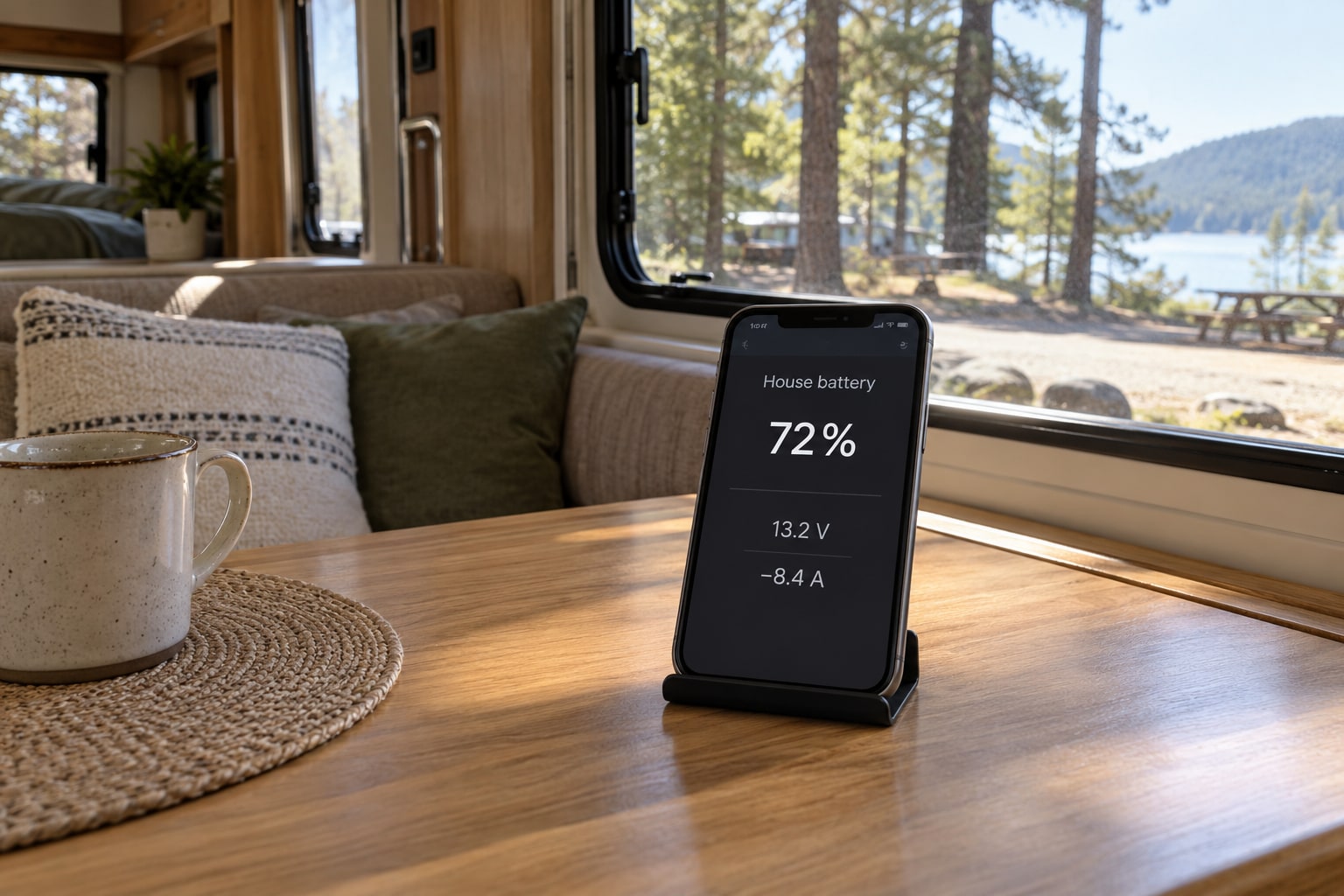
For most RVs, the Victron SmartShunt 500A is the battery monitor to buy: a 500 A Bluetooth shunt that counts every amp going in and out of the bank and shows state of charge, time remaining and history in the VictronConnect app. Want a readout on the wall as well? The BMV-712 Smart adds a display and keeps the app. Six monitors are compared below, along with the sizing, settings and wiring that decide accuracy.
TL;DR
- Best for most RVs: Victron SmartShunt 500A, a compact Bluetooth shunt with Victron’s full synchronization settings, but no screen.
- Best with a display and Bluetooth: Victron BMV-712 Smart, the same 500 A measurement plus a round wall display and the app.
- Best budget wired monitor: Renogy 500A Battery Monitor, a backlit screen on a 20 ft cable for 10 to 120 V systems, without Bluetooth.
- Best for Renogy ONE Core systems: Renogy Battery Shunt 300, rated 300 A continuous, with Bluetooth, DC Home and a temperature sensor.
- Best for detailed logging: Thornwave PowerMon-5S, which keeps up to three years of one-minute readings in the unit and installs in the positive cable.
- Best for replacing a LinkPRO: Xantrex LinkPRO, a wired display with an alarm relay, rated 350 A continuous on its shunt.
- Size it first: at full output and 90 percent efficiency, a 2,000 W inverter pulls roughly 185 A on 12V, so pick a monitor rated above your real peak.
Best RV Battery Monitors Compared
The ratings come from each maker’s specifications and manuals, not from tests of our own. Where a shunt’s continuous rating differs from its headline number, the table shows both.
As an Amazon Associate I earn from qualifying purchases.
Scroll sideways to see every column.
| Monitor | Current Rating | Readout | Best For | Where to Buy |
|---|---|---|---|---|
| Victron SmartShunt 500A | 500 A | Bluetooth app, no display | Most RVs | Amazon ↗ |
| Victron BMV-712 Smart | 500 A | Wired display and Bluetooth | A wall readout plus the app | Amazon ↗ |
| Renogy 500A Battery Monitor | 500 A | Wired LCD, no Bluetooth | A budget wired readout | Amazon ↗ |
| Renogy Battery Shunt 300 | 300 A continuous, 500 A for under 10 s | Bluetooth app, optional Renogy ONE Core display | Renogy ONE Core systems | Amazon ↗ |
| Thornwave PowerMon-5S | 500 A | Bluetooth app, optional display | Detailed logging | Amazon ↗ |
| Xantrex LinkPRO | 350 A continuous on its 500 A/50 mV shunt | Wired LCD, no Bluetooth | Replacing a LinkPRO | Amazon ↗ |
Our Picks in Detail
Victron SmartShunt 500A: Best for Most RVs
The SmartShunt puts the whole monitor in the battery bay: one compact block on the negative cable, a fused lead to battery positive and nothing to mount in the living space. You read it in the VictronConnect app, and that’s where it pulls ahead: a charged voltage, a tail current and a detection time, plus Peukert and charge-efficiency values, let it recognize a full battery using settings matched to your bank and charger. A VE.Direct port links it to Victron’s GX controllers if you later want a touchscreen.
- Key specs: 500 A shunt, 6.5 to 70 V for 12, 24 and 48V banks, Bluetooth, VE.Direct, under 1 mA draw, IP21, auxiliary input for a starter battery, midpoint or optional temperature sensor.
- Choose it for: most RV and van systems with an inverter, where a clean install and precise settings matter more than a screen.
- Know before you buy: there’s no display in the box. Victron notes that the shunt and heavy cables shorten Bluetooth range, and so can nearby metal such as a vehicle chassis. IP21 means a dry location only, and the auxiliary input reads a second battery’s voltage, not its amp-hours.
Check the Victron SmartShunt 500A on Amazon
Victron BMV-712 Smart: Best with a Display and Bluetooth
The BMV-712 measures the same way as the SmartShunt but adds a round display head showing state of charge, current, voltage and time remaining to anyone walking past, with Bluetooth built into the head for the app. Whoever runs the system gets every setting and the history on a phone, while everyone else reads the wall. A programmable relay can sound an alarm or signal a generator to start at a chosen voltage or state of charge.
- Key specs: 500 A/50 mV shunt included, 6.5 to 70 V, Bluetooth in the display head, 10 m (33 ft) data cable, programmable relay rated 60 V and 1 A, auxiliary input, under 1 mA with the backlight off.
- Choose it for: households that want state of charge on the wall and the full app on a phone.
- Know before you buy: per Victron’s technical data, the head needs a 52 mm (2 in) round hole and 31 mm (1.2 in) of depth, plus a cable route to the shunt, so it isn’t an automatic swap for a factory meter. The relay handles signals and small loads, not the main battery current.
Check the Victron BMV-712 Smart on Amazon
Renogy 500A Battery Monitor: Best Budget Wired Monitor
Renogy’s 500A monitor (RBM500) puts the essentials on one backlit screen: current, voltage, remaining amp-hours, percentage and time remaining, with programmable high and low alarms. It costs considerably less than the Victron pair, runs on 10 to 120 V, and its 20 ft shielded cable lets the screen sit by the door while the shunt stays in the battery bay. There’s no Bluetooth and no app, which some owners count as a plus: nothing to pair, and anyone can read it.
- Key specs: 500 A shunt, 10 to 120 V, backlit LCD, 20 ft (6 m) shielded cable, 0.1 to 9,999 Ah capacity setting, 1 to 2 mA in standby and 10 to 15 mA in operation, 2-year warranty.
- Choose it for: a simple wired readout in a 12, 24 or 48V system.
- Know before you buy: it ships set to 100 Ah, so enter your bank’s capacity first. It resets to 100 percent by itself only if you set its Full V value, which ships at 0 V and stays inactive; otherwise you press and hold the up button once the bank is full. Renogy’s manual warns against setting Full V without knowing the battery’s full-charge voltage. The screen needs a 94 × 57 mm cutout.
Check the Renogy 500A Battery Monitor on Amazon
Renogy Battery Shunt 300: Best for Renogy ONE Core Systems
If your RV already has a Renogy ONE Core on the wall, the Battery Shunt 300 is the natural add-on: it reports over Bluetooth to the Core’s 4-inch touchscreen and the DC Home app, next to your other Renogy devices. The box includes a battery temperature sensor, and the app keeps history and sends alerts. Without a Core, it works as a phone-only monitor.
- Key specs: 300 A continuous with peaks to 500 A for under 10 seconds, 8 to 120 V, Bluetooth LE and BLE Mesh, DC Home and Renogy ONE Core support, 1.5 m temperature sensor, starter battery voltage reading, under 0.1 W consumption, 1-year warranty.
- Choose it for: owners already using Renogy ONE Core or DC Home who want battery data in the same place.
- Know before you buy: 300 A continuous suits a 2,000 W inverter on 12V; a 3,000 W inverter running flat out, plus DC loads, can exceed it, and the 500 A peak doesn’t count as a working rating. There’s no display of its own, it doesn’t work with the Renogy ONE M1, and Renogy states that it doesn’t adjust its calculations by battery type.
Check the Renogy Battery Shunt 300 on Amazon
Thornwave PowerMon-5S: Best for Detailed Logging
The PowerMon-5S is for owners who want to know where the energy goes, not just what’s left. At one-minute intervals, it stores up to three years of voltage, current, power, temperature and state-of-charge history inside the unit. Choose one-second logging for finer detail, and storage drops to about 18 days. Recording continues without a phone nearby, and the app downloads the history when you connect. You can see what the fridge costs overnight or what the RV draws with everything switched off. It can also control an external relay for low-voltage disconnect, generator start or timers, and Thornwave sells an optional 4.3-inch touchscreen, the PowerMon-D4.
- Key specs: integrated 500 A shunt, up to 32 V for 12 and 24V systems, Bluetooth LE, onboard logging for up to three years at one-minute intervals, relay control output, 1.3 mA draw.
- Choose it for: data-minded owners who want to track consumption over weeks and seasons.
- Know before you buy: it installs in the positive cable, so the negative-side wiring advice for the other five doesn’t apply. The 32 V limit rules out 48V banks. Thornwave rates its environmental protection as low, so mount it in a protective box. The relay output drives an external relay; the 5S doesn’t break the main current itself.
Check the Thornwave PowerMon-5S on Amazon
Xantrex LinkPRO: Best for Replacing a LinkPRO
The LinkPRO (84-2031-00) is a wired monitor with a backlit display, push-button settings, a second-battery voltage input and a programmable alarm relay. It makes the most sense in a coach that already has one: replacing like with like keeps the panel opening, wiring layout and menus. For a new install, the BMV-712 adds Bluetooth and the Renogy 500A costs less.
- Key specs: 9 to 35 V, backlit LCD, 500 A/50 mV shunt rated 350 A continuous, auxiliary battery voltage input, programmable alarm relay, 9 mA at 12V with backlight and relay off, 2-year warranty.
- Choose it for: swapping out a failed or outdated LinkPRO in a 12 or 24V coach.
- Know before you buy: Xantrex’s owner’s guide limits the supplied shunt to 350 A continuous, below the 500 A monitors. There’s no Bluetooth, the 35 V maximum rules out 48V banks, and the display needs a 52 to 54 mm (2-1/16 to 2-1/8 in) round hole with 79 mm (3.1 in) of total depth.
How to Choose the Right Monitor
Match the Current Rating to Your Peak Load
A shunt’s rating limits current, not battery size: a 300 A or 500 A shunt can monitor a 100 Ah bank or a 600 Ah one. What matters is the most current that can flow at once, which in most RVs means the inverter near its limit:
A 2,000 W load through a 90 percent efficient inverter draws 2,000 ÷ 12 ÷ 0.90 ≈ 185 A from a 12V bank, and about 202 A once the voltage sags to 11 V. A 3,000 W load works out to about 278 A at 12 V and 303 A at 11 V. Add DC loads that may run at the same moment, such as a furnace fan or a slide motor, and check the charging side too, since a large converter working alongside DC-DC charging and solar can push a lot of current into the bank.
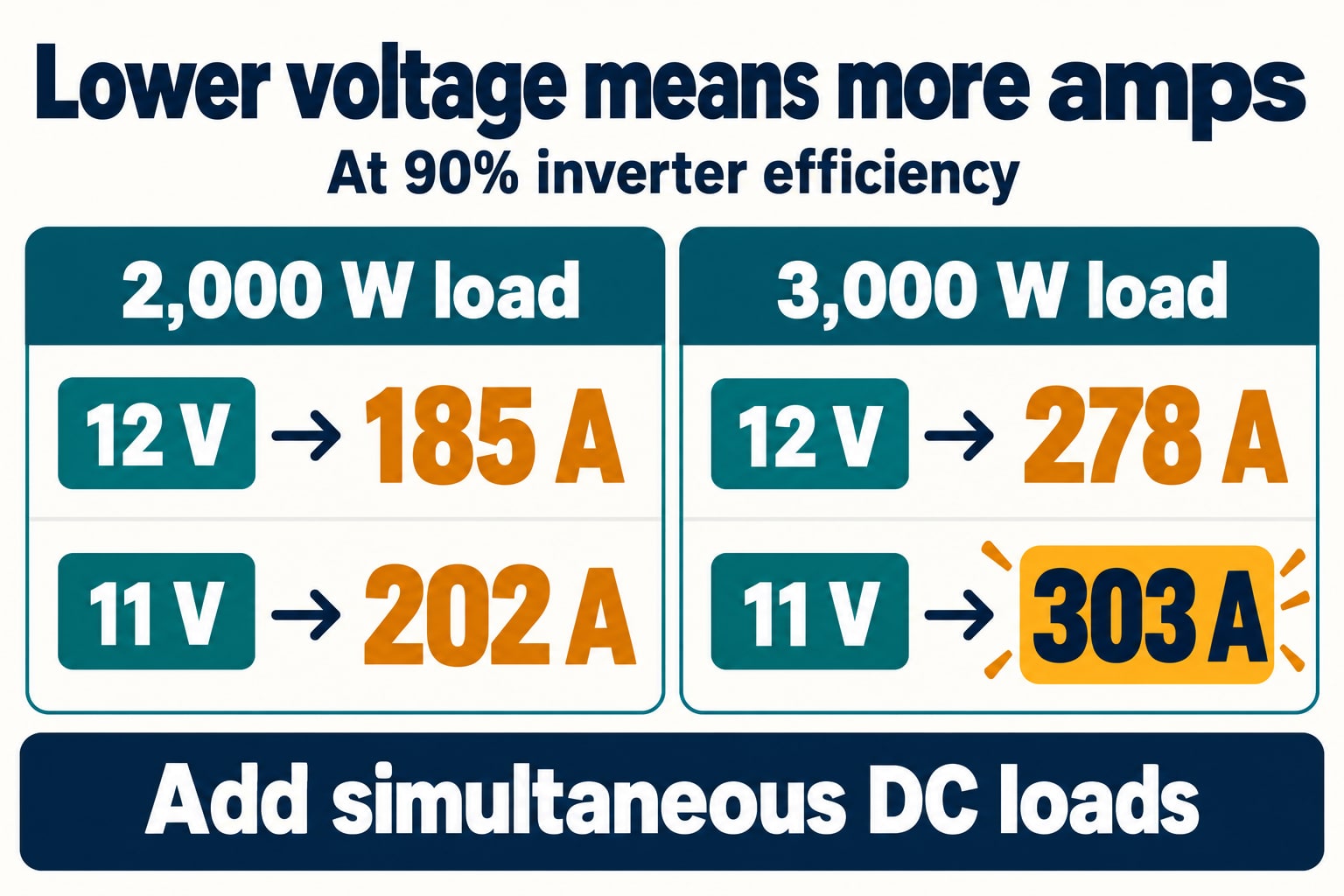
For the 12V system in this example, the Shunt 300 gives a 2,000 W inverter room for additional DC loads. At 3,000 W, a 500 A model leaves more headroom than the LinkPRO’s 350 A continuous limit. Size larger systems from their actual current, and check startup surges against any short-duration rating the maker lists. The monitor only measures, so cables, fuses and the battery’s BMS still need ratings of their own; see our complete RV fuse and breaker guide (opens in a new tab).
Wired Display, App or Both
The app-only monitors, the SmartShunt, the Shunt 300 and the PowerMon-5S, keep everything in the battery bay and show the most detail, but you need a phone in Bluetooth range to see anything. Each offers a screen later: Victron’s GX controllers, the Renogy ONE Core or the PowerMon-D4.
The wired displays, the Renogy 500A and the LinkPRO, can be read by anyone without pairing, but they need a cable route and a hole in a panel. The BMV-712 gives you both. Mount any display where you already make power decisions, such as next to the inverter remote.
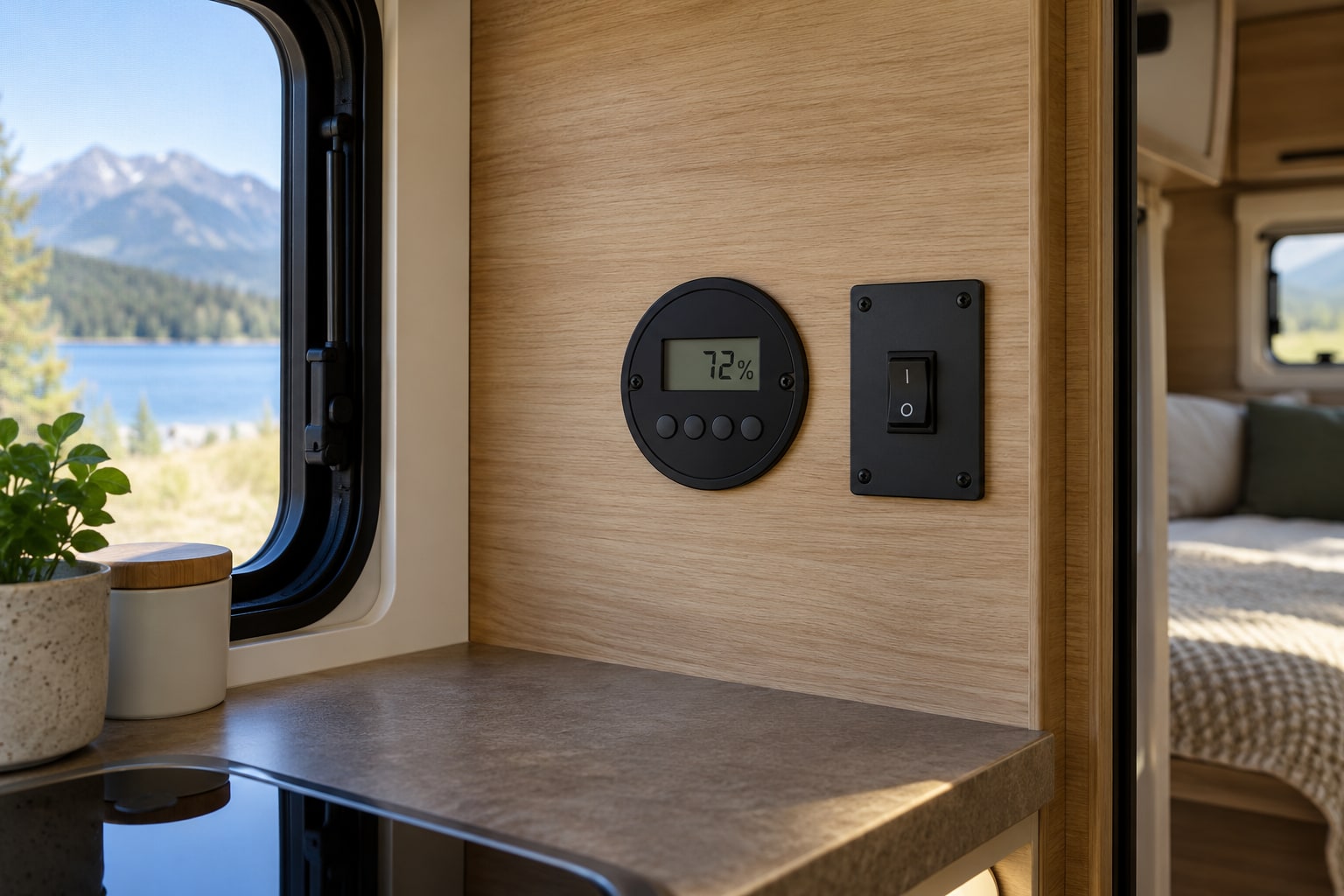
A 48V bank narrows the list: the PowerMon-5S stops at 32 V and the LinkPRO at 35 V, while both Victrons go to 70 V and both Renogys to 120 V.
What a Shunt Monitor Actually Measures
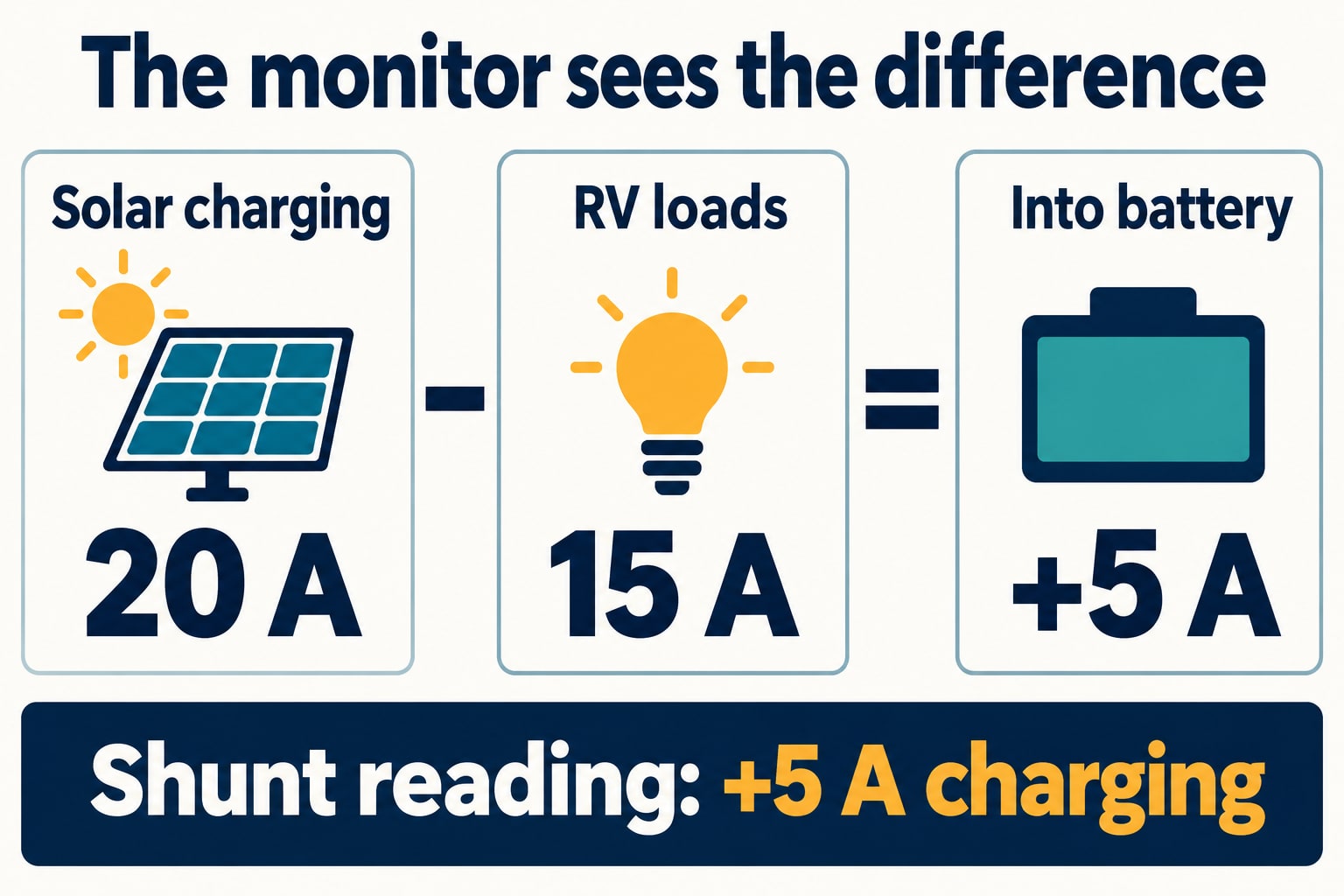
The shunt sees the net current into or out of the battery, nothing more. If the solar controller delivers 20 A while the RV’s loads use 15 A, the monitor shows about 5 A of charging. So in daylight it shows neither the panels’ full output nor everything the RV uses; the charge controller’s own readout shows production, as the first charging test in our MPPT controller wiring guide (opens in a new tab) demonstrates.
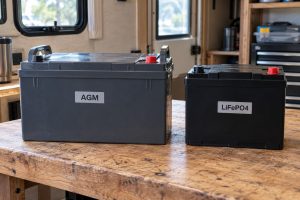
Counting that current in amp-hours is what makes the percentage trustworthy. Voltage alone is a poor guide to what’s left, above all in the middle of a LiFePO4 battery’s discharge range, where the voltage barely changes from one percentage to the next. The other differences between the chemistries are laid out in our AGM vs LiFePO4 comparison (opens in a new tab).
An external monitor isn’t the only route to a percentage, though: many lithium batteries measure current in their own BMS and report state of charge over Bluetooth. A shunt monitor earns its place when you want one reading for the whole bank, several parallel batteries counted together, a screen on the wall, or monitoring for lead-acid batteries with no electronics. It also turns an RV energy audit (opens in a new tab) into reading amp-hours instead of estimating them.
Set It Up Right: Capacity and Synchronization
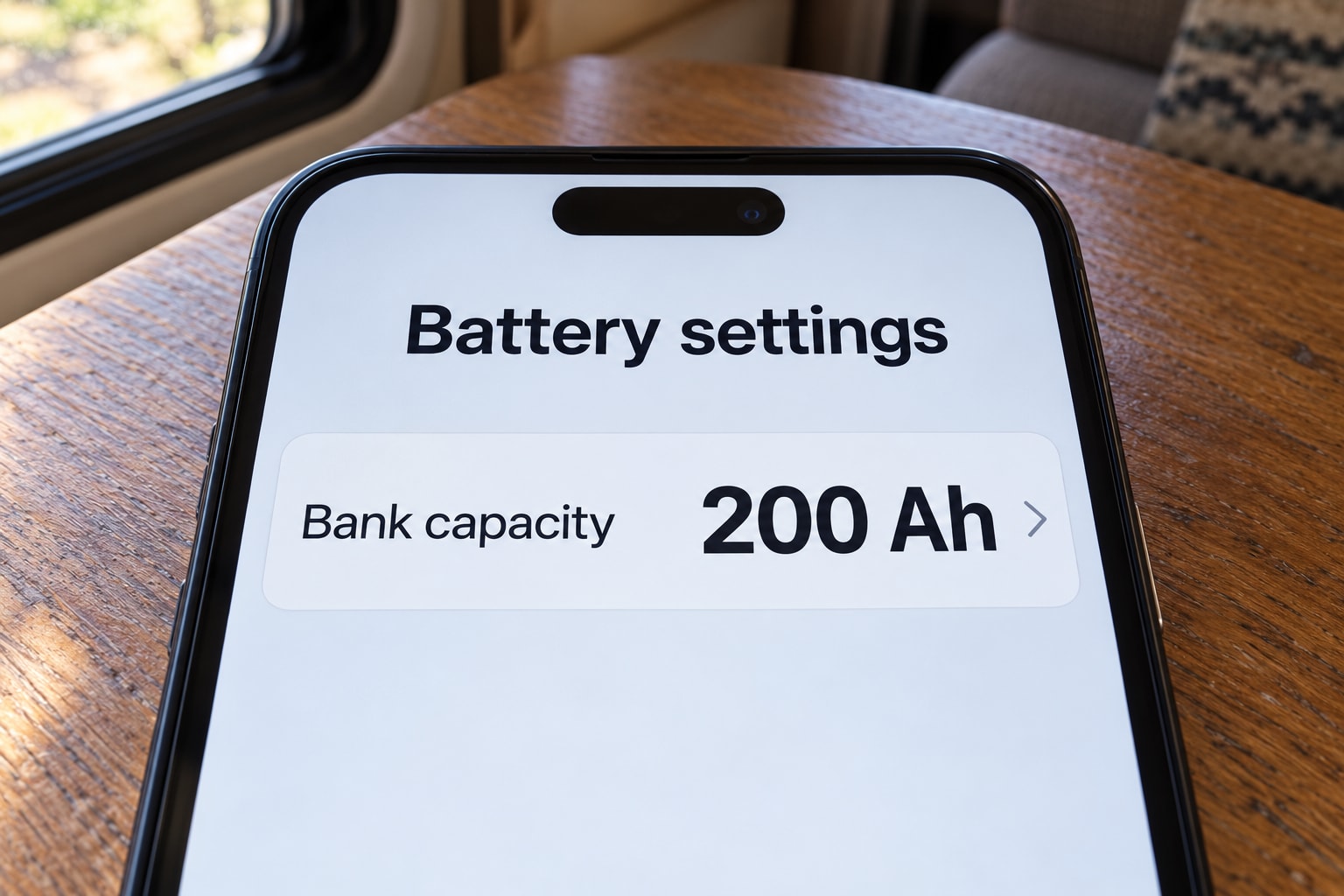
Two settings decide whether the percentage means anything. The first is capacity: enter the bank’s full capacity, normally its rated amp-hours when new, or the measured capacity of a worn bank. Enter 200 Ah for a new 200 Ah AGM bank, even if you plan to stop at 50 percent charge. The monitor’s capacity setting and your discharge limit are two different things; Victron even has a separate discharge floor, 50 percent by default. Two 12V 100 Ah batteries in parallel make 200 Ah at 12 V, while two in series make 100 Ah at 24 V. Check the default, too: the SmartShunt ships set to 200 Ah and the Renogy 500A to 100 Ah. If you’re still sizing the bank, start from daily use with our boondocking amp-hour guide (opens in a new tab).
The second is synchronization. Every coulomb counter drifts a little, so it needs a fixed point where it knows the bank is full and resets to 100 percent:
- Victron: full means the voltage stays above the charged-voltage setting and the current stays below the tail current, 4 percent of capacity by default, for the charged detection time, 3 minutes by default. For a 12V bank, Victron currently recommends starting at 13.9 V for lithium or 14.0 V for lead-acid. Check that the threshold sits just below the voltage where your charger finishes charging, usually absorption.
- Xantrex LinkPRO: the same principle, with defaults of 13.2 V, 2.0 percent and 240 seconds; match them to your charger and battery.
- Renogy 500A: a manual reset with the up button, or an automatic one above the Full V setting once you’ve entered it.
- Renogy Shunt 300: after charging the bank fully, set its state of charge to 100 percent in the settings, as Renogy instructs.
- PowerMon-5S: Thornwave’s manual describes automatic full-charge detection based on the battery chemistry you select, using voltage and current thresholds.
With solar charging, a passing cloud can lower the current before the battery is full. If that causes false resets to 100 percent, Victron recommends moving the charged-voltage setting just below absorption, for example 14.2 V with 14.4 V absorption, and increasing the detection time or lowering the tail-current threshold. Whatever the model, take charge voltages from the battery maker rather than copying one brand’s lithium settings to another.
Weeks of partial charging bring some drift until the next full charge, so plan one now and then, on shore power, with a generator or over a long sunny day.
Wiring the Shunt So It Sees Every Amp
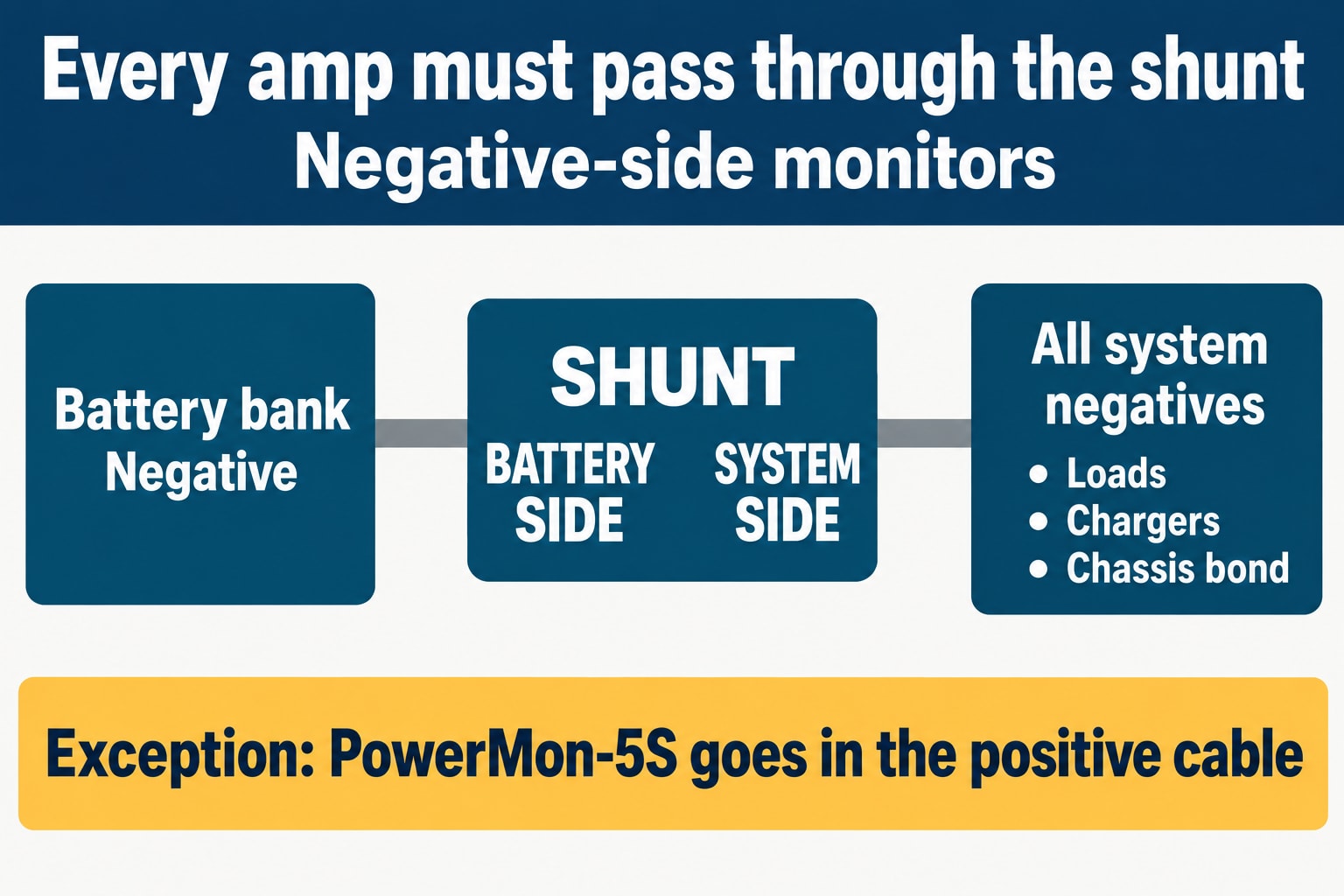
A shunt only counts the current that passes through it. On the five monitors that go in the negative cable:
- Battery side: only the bank’s main negative lands on the shunt’s battery side. Links between parallel batteries stay on that side too, so the shunt sees one battery.
- System side: every other negative goes to the system or load side: inverter, solar controller, converter, DC-DC charger and chassis bond. Victron’s installation guide allows no other connection on the battery side, because anything there is left out of the state-of-charge count.
- Bypass errors run both ways: a load wired straight to battery negative makes the reading too optimistic, because its draw is never counted, while a charger wired there makes it too pessimistic, because its charge is never counted.
- The PowerMon-5S is the exception: it goes in the positive cable, with the battery on its BATT+ stud, loads and chargers on LOAD, and the supplied black wire to battery negative.
Before opening the battery circuit, isolate the solar array, disconnect shore power and any generator supply, and disable alternator charging. Switch off the inverter and other loads, then disconnect the bank before cutting or moving a main cable. Restore the battery connection before reconnecting solar. Fuse the thin supply or sense lead close to the battery as each manual specifies; Victron’s red leads come with the fuse fitted. Tighten the main bolts to the maker’s torque, at most 21 Nm on the 500 A SmartShunt’s M10 bolts, and check them after the first few trips.
FAQs
- Do I need a shunt monitor if my lithium battery has Bluetooth? Not necessarily. If the battery’s BMS measures current, its app already shows state of charge. A shunt monitor adds a single figure for a multi-battery bank, a wall display option and support for lead-acid.
- What size shunt do I need? Peak current decides it, not the battery’s amp-hours. Divide the largest AC load by battery voltage and inverter efficiency, then add simultaneous DC loads; a 3,000 W inverter on 12V works out to roughly 278 A before them.
- Can one monitor track the house and chassis batteries? Only the bank whose current runs through its shunt. The SmartShunt, BMV-712, Renogy Shunt 300 and LinkPRO can also read a second battery’s voltage, which helps spot a low starter battery without counting its amp-hours.
- Why does my monitor read higher than the battery really is? If the percentage stays too high during discharge, check for a capacity setting above the bank’s actual capacity, synchronization that resets it to 100 percent too early, or a load bypassing the shunt. Enter the bank’s full capacity and make sure every load is included in the measurement.
- Does a battery monitor drain the battery? A little, depending on the model. A monitor drawing 10 mA uses 7.2 Ah in 30 days. That is small during a camping trip, but it adds up in storage. Victron rates the SmartShunt under 1 mA and Thornwave the PowerMon-5S at 1.3 mA, while the LinkPRO draws 9 mA at 12V with its backlight and relay off.
Conclusion
Start with the Victron SmartShunt 500A if you’re happy reading the bank on a phone, and step up to the BMV-712 Smart if the household wants a screen on the wall. The Renogy 500A is the budget wired choice, the Battery Shunt 300 suits a Renogy ONE Core setup, the PowerMon-5S suits owners who want logged data, and the LinkPRO makes sense where one is already installed. Then size it for your peak current, enter the full capacity, set up synchronization and route every load and charger through the shunt.
Spot an error or an outdated detail in this guide?
Report it